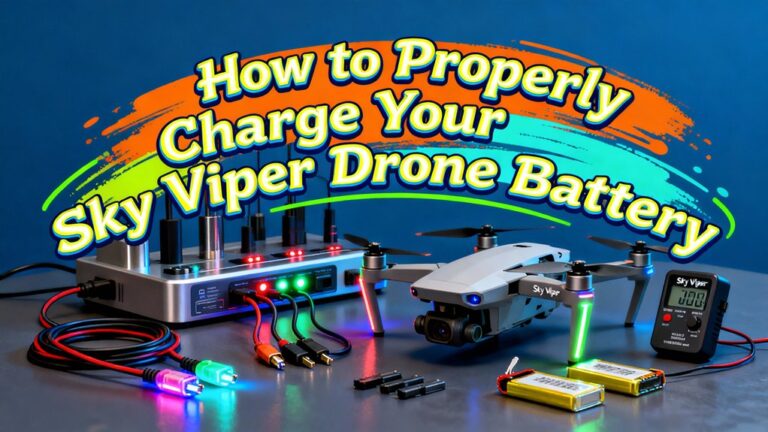
To charge your AR Drone 2.0 battery safely, you’ll need a charger designed for 3-cell LiPo batteries with balance-charging capability. Disconnect the battery completely, secure it in the charger dock, and monitor the LEDs throughout the process. Always charge between 0°C and 40°C in well-ventilated areas, and inspect for swelling, cracks, or damage beforehand. Remove the battery promptly after charging completes, and store at 40–60% capacity for long-term preservation. Understanding proper maintenance protocols and recognizing degradation signs will help you maximize battery life while minimizing fire risks.
Using the Correct Charger and Adapter for Your AR Drone 2.0
Because the AR Drone 2.0 uses a multi-cell lithium polymer (LiPo) battery chemistry, you must use a charger specifically designed for 3-cell (3S) packs with integrated balance-charging capability. The official Parrot charger meets charger specifications with correct 11.1V nominal voltage matching and appropriate current rating. Verify your charger supports the Parrot 4-pin/3-pin connector configuration to prevent shorting or connection failures.
Select country-specific adapter types certified for your local mains voltage (typically 100–240VAC input). Avoid unapproved travel adapters that risk loose connections or arcing. If using third-party equipment, confirm explicit AR Drone 2.0 compatibility, proper cell-count support, and LiPo-specific protections including overcurrent and overvoltage safeguards. Match any external power supply voltage and current ratings precisely to balance charger input requirements. Allow batteries to cool to room temperature after flights before charging to ensure optimal battery performance. LiPo batteries function through electrochemical redox reactions where lithium ions move between the anode and cathode to create electrical current. Just as FPV drone pilots must prioritize compatible transmission ecosystems to avoid equipment lock-in, selecting a charger that matches your battery specifications ensures safe and reliable charging performance. Modern drones with obstacle avoidance capabilities demonstrate the importance of proper battery management for maintaining safe flight operations. The charger features smart LED indicators that display red during charging and green when the battery is fully charged. Advances in smart battery management systems enhance both safety and charging performance by protecting against damage and extending battery lifespan.
Step-by-Step Charging Procedure for Optimal Results
Following these six sequential steps confirms safe battery charging while minimizing LiPo hazards. First, slide the styrofoam shield off and undo the velcro to access the battery compartment. Unclip and fully disconnect the battery before proceeding. Second, align the gold prongs with battery contacts and clip securely into the charger dock. Third, select your country-specific adapter, then connect to the power outlet. Fourth, observe LEDs numbered 1-3 flashing during cell balancing—this battery calibration process validates uniform cell voltage. Fifth, monitor the red charging light for 30 minutes to 1 hour 30 minutes until it turns solid green. Sixth, immediately disconnect upon completion; never reinsert fully charged batteries. Verify voltage matches rated specifications within 2V tolerance before reinstalling. For optimal battery longevity, allow the battery to rest after full charge when prompted by your charger. Ensure the battery has cooled to room temperature before charging if it was recently used to prevent damage. Never leave batteries unattended while charging, and always charge in a well-ventilated, fire-safe area away from flammable materials. All spare batteries must be protected against short-circuiting] through original packaging or protective sleeves to prevent dangerous conditions. DJI’s intelligent battery management systems monitor battery status in real-time, incorporating multiple safety protections against overcharging, over-discharging, and overheating while enabling fast charging capabilities. Handle the charger and battery with care for optimal performance to prevent damage and ensure longevity.
Temperature and Environmental Requirements During Charging
Thermal management during LiPo battery charging prevents catastrophic failure and extends service life. You must charge between 0°C and 40°C, with 5°C to 40°C ideal. Never initiate charging if battery temperature exceeds 40°C post-flight. Allow cooling for twice the flight duration before connecting to charger. Temperature monitoring guarantees you don’t exceed 60°C (140°F), which damages lithium polymer cells and risks bulging or leakage.
Environmental conditions critically affect charging safety. Position batteries in shaded areas with adequate airflow—never in direct sunlight or hot vehicles. Don’t charge on inflammable surfaces like carpet or wood. Remove protective plastic from chargers, as AC adapters reach 50°C (125°F) under load. Inspect your charger’s battery connections for corrosion or damage before use. Consider using chargers with balance ports to ensure even voltage distribution across all cells during charging. The smart controller automatically halts charging when detecting excessive heat, high amperage, or short-circuits, protecting your investment. Use a charger with overcharge protection features to prevent battery damage or potential explosions.
Essential Safety Precautions While Charging
When charging AR Drone 2.0 batteries, you must use only manufacturer-approved chargers and cables that match your battery’s chemistry, voltage, cell count, and specified charge current. Third-party chargers pose serious risks—overheating, swelling, reduced charge longevity, and fire hazards. Always place your battery and charger on non-combustible surfaces like concrete or ceramic tile, away from flammable materials. Charge in well-ventilated areas and use LiPo-safe bags or metal containers for containment. Never leave batteries unattended during charging cycles. Follow the manufacturer’s recommended charge rate and employ balance charging for multi-cell packs to prevent cell imbalance. Modern battery management systems evolved from early gyroscopic stabilization innovations that pioneered precision control in electronic devices. Stop charging immediately if you detect unusual heat, smoke, or odors. For long-term storage, maintain batteries at 40–60% charge to minimize aging and swelling. In cold weather conditions, ensure you store batteries in warm locations before charging to optimize their capacity and performance. Remove batteries promptly when charging completes to avoid overcharge damage. Monitor the temperature during charging to ensure the battery remains within safe operating limits and prevent potential thermal runaway. After your battery reaches the end of its usable life, take the fully discharged battery to authorized recycling facilities such as local council drop-off centers or retail stores to prevent environmental contamination and dangerous fires.
Inspecting Your Battery Before Each Charge
Before connecting your AR Drone 2.0 battery to any charger, you must conduct a thorough multi-point inspection to identify conditions that pose fire, explosion, or equipment damage risks. Begin by examining battery appearance: any swelling, bulging, cracks, punctures, or electrolyte leakage mandates immediate retirement. Inspect connectors for melted plastic, frayed wires, or bent pins that cause poor contact or shorts. Perform voltage checking by measuring open-circuit pack voltage and individual cell voltages via the balance lead; voltage spread exceeding 0.05–0.1 V indicates cell degradation. Verify the battery is at ambient temperature (0–40 °C per Parrot specifications) and dry. Smell for chemical odors suggesting internal damage. Confirm no unusual warmth remains from recent flight operations before proceeding to charge. Understanding that most AR Drone batteries use lithium polymer chemistry helps explain why careful inspection is critical, as LiPo batteries are particularly susceptible to damage from physical stress and temperature extremes. Like waterproof drones designed for extreme environments, high-performance drone batteries require robust protective measures to maintain operational safety and longevity. Store your battery in a cool, dry place between 10-25°C when not in use to prevent internal short circuits and accelerate wear. Improper maintenance practices such as overcharging and inadequate storage conditions accelerate battery degradation and increase internal resistance. Always verify that your charging location complies with local regulations regarding battery storage to ensure safe practices and legal compliance. Document any damages with photographic evidence to maintain a comprehensive inspection log for tracking battery health over time.
Proper Storage and Maintenance for Battery Longevity
Routine battery inspections protect against immediate charging hazards, but long-term performance depends on disciplined storage and maintenance protocols that slow chemical degradation and prevent catastrophic failure during idle periods. Store your AR Drone 2.0 battery at 40–60% state of charge to minimize capacity loss. Fully charged or depleted states accelerate degradation. Maintain storage temperature between 15°C and 25°C in a dry environment; avoid direct sunlight, freezing conditions, and thermal extremals that cause swelling or internal shorts. Monitor battery self discharge every 1–3 months and recharge to target storage SOC. Store batteries in rigid, non-conductive containers with terminal covers to prevent short circuits. Use fireproof LiPo storage bags or metal boxes for added protection against potential battery fires. Label each unit with purchase date and cycle count to enable rotation, ensuring oldest batteries are used first.
Recognizing When Your Battery Needs Replacement
How can you determine whether your AR Drone 2.0 battery has reached the end of its safe service life? Monitor these critical indicators: swollen or bulging casing, electrolyte leakage, cracks, or discoloration near terminals demand immediate replacement. Observe battery performance during flight—times notably below 12 minutes, sudden power loss, or motor cutouts signal cell degradation. Charger anomalies include LEDs refusing to turn green, excessive heat, or cell-balancing flashes indicating imbalance. Measure capacity with diagnostic tools; considerable reductions from rated mAh confirm end-of-life. Check for elevated internal resistance and voltage sag under load. Beyond 300–500 charge cycles, proactive replacement is prudent. Any swelling, thermal runaway symptoms, or physical damage mandates immediate disposal per manufacturer safety protocols. Don’t compromise flight safety with degraded cells. Battery age is also a determining factor, as most drone batteries last 2 to 3 years regardless of cycle count. For extended flight times and endurance, consider transitioning to Li-ion packs as your drone’s power demands evolve. In emergency situations where standard chargers are unavailable, portable solar chargers with USB ports can provide alternative charging solutions for your battery. Implementing proper thermal management during charging prevents overheating and extends overall battery lifespan. AR Drone 2.0 batteries typically use Lithium-Polymer technology, which requires careful handling and charging to maintain safety and performance throughout their service life. Always verify battery specifications against your drone model, as battery interchangeability across different drone models or brands is not recommended due to voltage, capacity, connector, and safety standard mismatches.
Troubleshooting Common Charging Problems
Even when you’ve followed proper charging procedures, AR Drone 2.0 batteries can exhibit problems that prevent successful charge cycles. If your charger lights won’t illuminate, the battery voltage has likely dropped below the detection threshold. Apply 3+ volts from two AA batteries to the left connectors to trick the charger into recognition. A red flashing light indicates critically low voltage—remove and reconnect the battery repeatedly, or use a 12V automotive trickle charger for quick voltage restoration. Battery care includes avoiding immediate charging after flight; wait until the battery cools to touch. Inspect charging pins for corrosion or bending, cleaning contacts until shiny. Always use a certified USB adapter rated at 5V and 1.5A or higher to ensure safe and efficient charging. Many drone operators benefit from using manual battery charge indicators to quickly identify charge status without needing to connect the battery to a charger. Common charger issues stem from damaged connections, improper storage at 100% charge, or overheating from extended plug-in time. Smart chargers with automatic cell balancing help prevent uneven charging across battery cells. Always establish clear supervision rules when operating drones to ensure safe battery handling and charging practices. Watch for physical damage signs like swelling or punctures that indicate the battery should be replaced immediately.
Safe Disposal of Damaged or End-of-Life Batteries
When your AR Drone 2.0 battery reaches end-of-life or sustains damage that renders it unsafe for continued use, proper disposal becomes a regulatory requirement rather than an option. Never dispose of lithium-ion batteries in household trash—they’re classified as hazardous waste.
Before transport, discharge the battery fully, tape terminals with non-conductive material, and place it in a fire-resistant bag. Inspect for swelling, leakage, or punctures; damaged cells require manufacturer consultation before handling.
Utilize certified battery recycling channels: retail take-back programs at electronics stores, municipal hazardous waste facilities, or manufacturer mail-back services. Locate compliant recyclers through networks like Call2Recycle or Earth911. Recycling helps recover essential materials like lithium, cobalt, and nickel, reducing the need for new mining operations.
Store batteries awaiting disposal in cool, dry, non-combustible areas. For compromised cells, use LiPo-safe containers and wear protective equipment during handling.