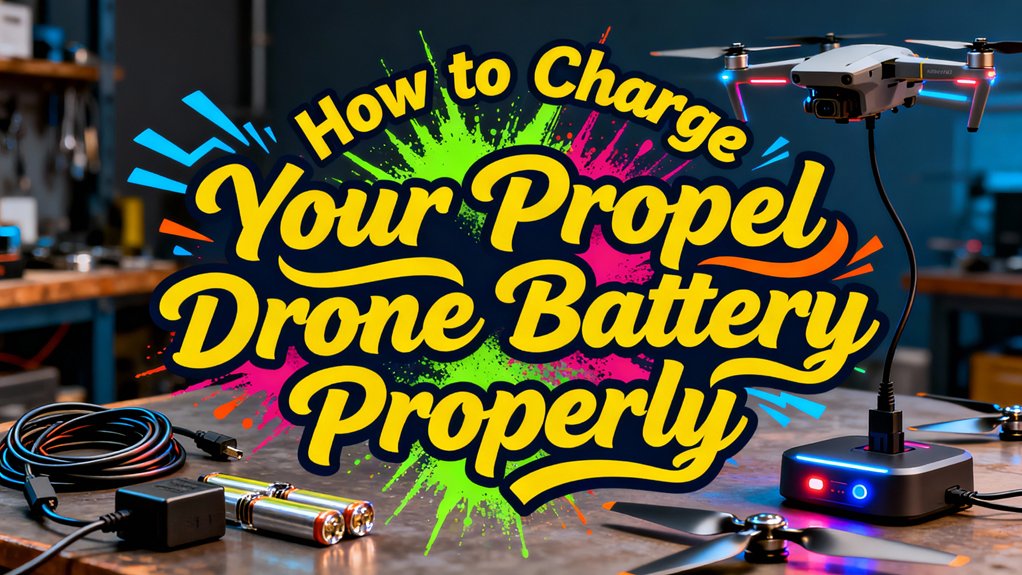
Remove your Propel battery from the drone and inspect it for damage before connecting the USB charger to a wall adapter. Charge in a well-ventilated area, ideally using a fireproof LiPo bag, and never leave it unattended. Standard batteries take 20-25 minutes to charge, while HD models require 80-100 minutes. Watch for the LED indicator to change from red to solid green, signaling a full charge. Disconnect immediately and avoid overcharging to prevent degradation. Following proper storage and maintenance techniques will considerably extend your battery’s operational lifespan beyond 200 charge cycles.
Understanding Your Propel Drone Battery and Charger
Before you plug in your Propel drone for charging, you’ll need to identify your specific battery type and compatible charger. Propel batteries are model-specific, particularly for Star Wars editions, with standard specifications of 3.7V and 1800mAh capacity. Understanding battery types guarantees you’re using the correct power source for safe charging.
Your charger compatibility depends on your drone model. You’ll find three main configurations: wall chargers with UK socket connectors and USB adapters, USB charging cables like those for the Snap 2.0, or charging docks that accept battery insertion. All USB-compatible chargers allow flexible power sourcing from computers, wall adapters, or power banks. Many drones allow you to charge the battery while it remains installed in the aircraft by connecting a USB-C charger directly to the drone with the battery powered off. The controller’s internal battery also requires periodic recharging when its indicator flashes. The Collector’s edition includes two batteries and charger in the box, ensuring you have backup power for extended flight sessions. For optimal battery longevity, ensure your charging setup includes proper voltage monitoring to prevent overcharging or overheating. Most consumer drones utilize Lithium Polymer batteries due to their high power-to-weight ratio, which requires careful handling during the charging process. Using original manufacturer chargers rather than third-party alternatives helps ensure compatibility and safety during the charging process. Before flying in public spaces, familiarize yourself with local drone regulations that may restrict where and when you can operate your fully charged aircraft. Always match your battery to its designated charger to prevent damage.
Essential Safety Precautions Before You Begin
Safety precautions protect both you and your equipment from potential hazards during the charging process. Begin with thorough battery inspection—check for physical damage, swelling, leaks, or punctures. Discard batteries exceeding 5V per cell. Clean terminals with a dry cloth to remove debris or corrosion.
Verify charger compatibility by using genuine, manufacturer-supplied equipment specific to your battery type. Select a balance charger that matches your battery’s recommended 1C charge rate and proper cell count.
Prepare a well-ventilated charging area away from flammable materials. Charge on non-flammable surfaces at moderate temperatures between 55-85°F. Always use a fireproof LiPo charging bag and never leave batteries unattended. Monitor temperature continuously and remove batteries promptly when fully charged. Most drone batteries using lithium-ion or LiPo technology require approximately 180 minutes for a complete charge cycle. Consider investing in a field charger if you frequently fly in remote locations where traditional power outlets are unavailable. For optimal visibility of your drone’s LED lights during flight, charge batteries before dusk since LED colors are most vivid against the darkening sky.
Step-by-Step Charging Process
Charging your Propel drone battery correctly guarantees maximum performance and extends its lifespan. Begin by removing the battery from your drone’s compartment. Inspect both battery and charger for damage before proceeding. Connect the USB charger to the power adapter, then plug it into a wall outlet. You’ll see a red LED indicating power. Next, align the battery’s bullet connector with the charging port and push firmly until secure. The charger’s lights will confirm proper battery compatibility through a flashing red LED. Monitor the charging process—small drones need 20-25 minutes, while HD models require 80-100 minutes. These charging techniques guarantee excellent results. When the LED turns solid blue or green, disconnect immediately and reinstall the battery. The battery typically provides decent flight time on its first charge and may improve after multiple charging cycles. After flying, allow batteries to cool before recharging to maintain optimal battery health and prevent damage. Never charge swollen or damaged batteries as they pose serious safety risks. Always charge in well-ventilated areas away from flammable materials to ensure safe operation. Propel drone batteries commonly use XT30 connectors rated for up to 30 amps, making them suitable for micro-drone applications. For quick status checks without connecting to a charger, consider using manual battery charge indicator sliders with color-coded systems that attach directly to your batteries.
Monitoring LED Indicators During Charging
Understanding your charger’s LED indicators guarantees you’ll know exactly when your Propel drone battery reaches full capacity. Your charger will initially blink 2-3 times, then display a solid red light confirming active charging status. As charging progresses, the light shifts to flashing red, signaling your battery has reached 90% capacity. Some models display a solid blue LED at this charging status milestone. When you see a solid green light, your battery has achieved 100% charge and is ready for flight. LED color meanings vary slightly between models—the Mini Batwing may flash red and blue together when fully charged, while ULTRA-X models flash red and white upon battery insertion. Monitor these patterns to guarantee safe, complete charging cycles. If the light on charger should be red but remains unresponsive, your battery may not be fully charged and requires additional charging time. Before taking your fully charged drone for a flight, ensure you understand FAA regulations such as flying below 400 feet and keeping your drone within visual line of sight. To maximize your battery’s lifespan, avoid leaving it fully charged for extended periods, as proper storage at moderate temperatures with partial charge helps extend longevity beyond the typical 200-300 charge cycles. For those seeking advanced features at affordable prices, companies like EXO Drones combine U.S. design with professional-grade GPS camera technology to deliver quality drone experiences.
Optimal Charging Times and What to Expect
Different Propel drone models require vastly different charging durations, so you’ll need to plan your flight sessions accordingly. The Atom 1.0 charges fastest at 30 minutes, while the Snap 2.0 needs approximately 40 minutes. Performance Stunt Drones require 70 minutes, and HD Video Drones demand the longest duration at 80-100 minutes. Understanding these timeframes helps you manage charging frequency effectively, especially since battery capacity directly impacts flight duration—some models provide only 10 minutes of flight time per charge. You’ll maximize your drone’s performance by avoiding overcharging; disconnect batteries immediately when LEDs signal completion. Never leave batteries connected after reaching full charge, as this degrades battery capacity and creates safety risks. Replacement chargers for the Snap 2.0 are available for $9.99 per unit, making it affordable to keep backup charging equipment on hand. Plan multiple battery rotations for extended flying sessions.
Common Charging Problems and Solutions
Even when you follow proper charging procedures, your Propel drone battery may occasionally refuse to charge or display unusual behavior. Battery overheating is a primary culprit—sensors block charging until the cells cool to room temperature after flight or sun exposure. Attempting to charge hot batteries risks permanent damage or safety shutdowns. A charger error often indicates faulty hardware, damaged pins, or corroded contacts requiring cleaning with isopropyl alcohol. Deep discharge below 3.0V per cell can brick your battery, requiring specialized recovery with a NiMH charger at 0.1A until reaching 3.3V per cell. Firmware glitches may also prevent charging; update your drone and battery software through the manufacturer’s app. Always inspect connections and power cycle your system before assuming hardware failure. Additionally, verify the power specifications of your charging cable and charger to ensure they provide stable output compatible with your battery requirements. Understanding the electrochemical redox reactions that power your lithium-based battery helps you recognize when charging behavior indicates a chemistry problem versus a simple connection issue. Proper charging habits not only resolve immediate issues but also extend your battery’s overall lifespan by minimizing degradation from temperature stress and voltage extremes. Smart chargers with automatic cell balancing prevent uneven charging that can lead to performance issues and reduced battery longevity. Modern chargers should include overcharge protection and other safety features to prevent dangerous voltage or temperature conditions during the charging process. If problems persist after troubleshooting, contact the manufacturer as many offer free battery replacements for defective units.
Best Practices for Battery Care and Longevity
While proper charging techniques prevent immediate problems, maintaining your Propel drone battery’s long-term health requires consistent care practices that extend its operational lifespan. Store your battery at 3.75–3.85V per cell (40%–65% capacity) in temperatures between 10°C and 25°C, as lithium chemistry degrades faster when fully charged or exposed to heat. Perform monthly charge-discharge cycles to maintain battery lifespan, and execute a deep cycle to 8% every 10–20 flights for cell balancing. Never leave depleted batteries in your drone, as over-discharge causes irreversible damage. Inspect cables regularly for damage, use fireproof LiPo bags during charging, and dispose of swollen batteries immediately. Allow your drone to cool to room temperature after flight sessions before initiating the charging process to prevent thermal stress on the battery cells. Most battery incidents happen during the charging process, making it critical to maintain a watch on your batteries throughout the entire charging session. Always use the correct battery and charger specified by the manufacturer, as different battery chemistries and voltage requirements make cross-model battery swapping a potential safety hazard. Understanding your battery’s capacity rating helps you select appropriate charging parameters and predict realistic flight times based on your drone’s power consumption. Consider investing in neutral density filters for your drone to reduce the power demands on your battery during bright daylight flights, which can help extend flight time and reduce thermal stress. When your battery reaches the end of its usable life, take it to authorized recycling facilities such as local council drop-off centers or retail stores rather than disposing of it in regular household waste. These maintenance routines greatly extend your battery’s functional life while ensuring safe operation.
Proper Storage Between Flights
A battery sitting idle between flights faces chemical degradation that proper storage techniques can greatly minimize. You’ll maximize battery lifespan by maintaining charge levels between 40% and 65%, with 50-60% being ideal. Store your Propel drone battery in a cool, dry location at temperatures ranging from 15°C to 25°C (around 77°F), avoiding garages with temperature extremes or direct sunlight exposure. Maintaining batteries in dry environments with consistent temperatures prevents moisture-related corrosion that can reduce battery lifespan and performance.
For safe storage, always remove the battery from your drone after flights and allow it to cool to room temperature first. Use lipo-safe bags or fireproof containers like steel boxes, keeping batteries separated to prevent mutual damage. Cover terminals to avoid short circuits from metal objects, and position batteries where they won’t experience impacts or water exposure. Regularly inspect your battery for signs of damage such as bulging or leakage before returning it to storage. Perform full charge-discharge cycles every 2-3 months to maintain battery activity and prevent hibernation mode during extended storage periods. Just as matching compatible battery replacements to specific drone models ensures optimal performance, using the correct storage procedures tailored to your battery type helps preserve capacity and safety over time. Modern drones with advanced features like omnidirectional obstacle avoidance require properly maintained batteries to ensure all sensors and safety systems function reliably during flight. Properly maintained batteries are essential for emergency rescue drones that rely on extended flight time capabilities to complete critical search and rescue missions in challenging environments.
When to Replace Your Battery
Despite your best storage practices, every Propel drone battery has a finite lifespan that ends when replacement becomes necessary for safety and performance. Key battery replacement indicators include physical swelling, cracks, leaks, or corrosion on connectors. Replace your battery after 200-300 charge cycles or 2-3 years, whichever comes first.
Battery performance signs demanding immediate replacement include flight times decreasing despite full charge, capacity fading from original ratings, severe power sag when warming, and internal resistance exceeding 10mΩ per cell. Cell voltage variations of 0.05V or more indicate critical imbalance. If overheating occurs during charging or use, replace immediately.
Always use OEM-specified batteries matching your Propel drone’s voltage, size, and connector type. Never fly with damaged battery warnings active. Timely replacement ensures consistent power delivery throughout your flights, maintaining reliable performance from takeoff to landing.
Maximizing Flight Time With Multiple Batteries
Because Propel drone batteries deliver only 6-10 minutes of flight time per charge, owning multiple batteries transforms your flying sessions from brief intervals into extended experiences. Effective battery management requires fully charging all batteries before your flight session using the supplied USB Li-Po charger. The collector’s edition box includes multiple batteries specifically for this purpose, and you can purchase additional batteries at propelrc.com.
For maximum flight efficiency, rotate batteries continuously by swapping them as each depletes. Slide the charged battery into the drone compartment using the guide rail, then eject the depleted battery via the underside lever. This quick-swap process eliminates downtime between flights. Environmental conditions and your control inputs affect actual flight duration, so having four or more batteries guarantees uninterrupted sessions exceeding one hour.