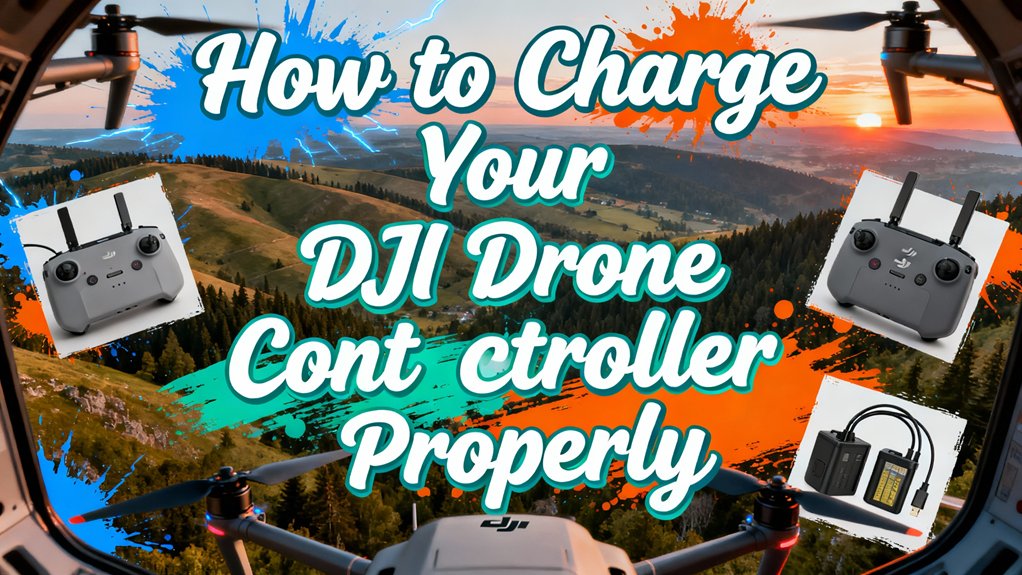
To charge your DJI controller properly, first identify your model’s charging port—most use USB-C, while older models have micro USB. Power off the controller, then connect a charger matching your model’s specifications: 5V/2A for basic controllers like RC-N3, or up to 65W USB-PD for RC Pro 2. Monitor LED indicators during charging—successive blinking shows progress, while all LEDs off indicates completion. Always charge in well-ventilated areas, never leave unattended, and maintain 40-65% charge when storing. This guide explores detailed specifications and troubleshooting for each controller model.
Understanding DJI Controller Charging Ports and Compatible Chargers
Most modern DJI drone controllers rely on USB-C as their primary charging interface, located on the bottom or underside of the unit. Port locations affect cable routing during operation and determine whether you can charge while a smartphone is attached. Higher-end models like the RC Pro 2 support USB Power Delivery up to 65W (20V/3.25A), while basic controllers accept modest power levels—DJI RC recommends 5V/2A or above. You’ll need chargers matching your controller’s specifications; incorrect voltage profiles can slow charging or trigger protective shutdown. Use USB-C cables rated for required PD profiles, as low-quality cables limit current and prevent fast-charge negotiation. During charging, Battery Level LEDs blink to indicate the controller is receiving power and turn off automatically when the battery reaches full capacity. For optimal safety, always charge your controller in a well-ventilated area away from flammable materials and never leave it unattended during the charging process. Note that some USB-C ports handle charging exclusively and won’t pass data for phone connections—verify your model’s charging features before purchasing accessories. DJI’s 100W USB-C power adapter provides a reliable charging solution for controllers and can also power battery charging hubs for your drone batteries. Charging times vary depending on the controller model, typically ranging from 90 to 120 minutes for a full charge cycle. If you plan to use your controller for nighttime drone operations, ensure your aircraft’s anti-collision lights meet FAA visibility requirements, as built-in lights may not be bright enough for regulated flights. Beginner pilots considering their first FPV setup should note that the DJI Neo and DJI Avata 2 controllers share similar USB-C charging requirements and offer intuitive controls that complement proper charging habits.
Step-by-Step Charging Process for Different DJI Controller Models
Charging procedures vary considerably across DJI’s controller lineup, so you’ll need to follow model-specific steps to guarantee safe, efficient power delivery.
For the RC-N3, power off your controller first, then connect a 5V/2A charger to the USB-C port using DJI-provided charging cables. Expect approximately two hours for completion.
The Flip controller requires a Type-C to Type-C PD cable connected to a PD-compatible USB charger, achieving full charge in roughly 70 minutes.
Mavic Pro users must locate the micro USB port on the left side—avoid the bottom port, which serves only mobile device connections.
The Mavic Air accepts standard micro USB Android charging cables through its side port, requiring proper cable orientation.
Mini series controller models charge directly through the aircraft’s USB-C port with the battery inserted, taking approximately 82 minutes with an 18W charger. For optimal battery health, ensure the aircraft is powered off during the charging process. DJI’s consumer drones incorporate autonomous tracking systems similar to those used in experimental follow-me applications like drone umbrellas. Modern unmanned aerial vehicles rely on efficient power management systems to extend operational flight times and maintain reliable remote connectivity during missions. When you finish charging and are ready to fly, remember to power off the controller after landing by pressing the power button once, then immediately pressing and holding it for about one second until you hear a descending tone. DJI’s intelligent battery management systems monitor charge status in real-time and incorporate multiple safety protections against overcharging, over-discharging, and overheating to ensure safe operation. Understanding battery cycle life helps you maximize the longevity of your controller’s internal battery and maintain consistent performance over time.
Reading and Interpreting LED Battery Indicators During Charging
While your DJI controller charges, the LED battery indicators provide real-time feedback about charging status, battery level, and potential errors. Normal LED Behavior shows lights blinking successively during charging, then turning off when fully charged. The Charging Patterns indicate battery level: four LEDs (76%–100%), three LEDs (51%–75%), two LEDs (26%–50%), one LED (0%–25%).
Watch for abnormal patterns signaling problems. LED 2 blinking twice per second means charging current’s too high. LED 3 blinking twice indicates overcharge. LED 4 blinking signals temperature issues. For these errors, use DJI’s standard charger, charge within 5°C–40°C, or let your battery cool post-flight. Always use manufacturer-approved chargers to ensure safe and efficient charging that protects your battery’s longevity. If LED 2 blinks three times per second, contact DJI—it indicates short circuits requiring professional repair. When LED 3 blinks three times per second, this signals charging voltage issues and you should try using another charger. Using smart chargers with automatic cell balancing helps prevent uneven charging and maintains optimal battery performance over time. Understanding proper charging practices is crucial for managing potential fire hazards associated with lithium-based batteries in drone controllers. Many professional drone operators who use advanced models like the DJI Matrice 350 RTK follow strict battery maintenance protocols to ensure mission-critical reliability. Before powering on your drone, always verify that the battery is properly inserted and fully charged to avoid mid-flight power failures.
Optimal Charging Times and Power Specifications by Model
Understanding your specific controller model’s power requirements guarantees safe, efficient charging that protects your equipment and minimizes downtime between flights.
The DJI FPV Remote Controller 3 requires 5V/2A input and completes charging in 2 hours, delivering approximately 10 hours of battery life. DJI RC models charge faster at 1.5 hours using a 5V/3A adapter, with their 5,200 mAh batteries providing extended operation. The DJI Smart Controller needs a 12V/2A adapter for ideal charging efficiency within 2 hours.
Always use chargers meeting or exceeding manufacturer specifications—5V/2A minimum for most models. Charging at ambient temperatures between 0°C and 50°C ensures proper battery chemistry function. Higher-amperage chargers (3A vs. 2A) reduce charging times without compromising safety when specifications permit. The DJI RC (model RM330) features a Li-ion battery with a capacity of 5,200 mAh rated at 3.6V, ensuring reliable power delivery during extended flight sessions. Monitor the LED indicator during charging, as it will display red while the battery is actively charging and turn green once the battery is fully charged. Proper battery storage practices—maintaining charge levels between 40% and 65% when not in use—can help extend your controller’s battery longevity over time. For pilots interested in different FPV flying styles like freestyle or racing, understanding power requirements becomes even more critical as flight times and controller usage patterns can vary significantly. Maintaining your controller properly minimizes downtime and ensures you’re ready for operations, as commercial drone businesses rely on consistent equipment availability to maximize their return on investment. For specialized applications requiring extended flight range, such as fishing operations, understanding your controller’s flight time and range capabilities becomes essential for safe and effective deployment.
Essential Safety Tips and Best Practices for Controller Charging
Proper charging techniques extend beyond knowing power specifications and timing—they require strict adherence to safety protocols that protect both your equipment and personal safety.
Always power off your controller before connecting the charger. Use only DJI-approved chargers connected to designated USB-C ports—third-party alternatives void warranties and risk damage. Charge in temperatures between 0-40°C within well-ventilated, dry areas away from direct sunlight, moisture, and flammable materials.
Never leave charging unsupervised or overnight. Disconnect immediately when LEDs indicate full charge. If you’ve just flown, wait for the controller to cool completely before charging. Monitor battery levels throughout the charging process to prevent overcharging and potential battery cell damage.
For battery maintenance, clean terminals regularly with compressed air. Store at 40-60% charge in cool conditions for long-term preservation. Like commercial-grade navigation systems in modern drones, proper power management protocols ensure consistent operational reliability. Before connecting the charger, ensure your controller’s Wi-Fi network is disabled to prevent interference during the charging cycle. Look for chargers with overcharge protection and other safety features to safeguard against electrical issues. DJI controllers feature GPS-assisted flight stability technology that requires reliable power management to maintain connection with your drone during flight. When replacing or upgrading controllers, remember that DJI controllers work exclusively with DJI drones due to proprietary transmission systems, so always verify compatibility before purchasing new equipment. These charging precautions prevent cell degradation and guarantee reliable performance.